background img

The New Stuff

Showing posts with label Top & Best. Show all posts
Data rooms are primarily used for the sale of a business. A traditional data room is a secure room where hard copies of corporate documents are kept for confidential review. Prospective buyers will schedule time in the “data room” to perform comprehensive due diligence on the business or assets they were potentially buying. With traditional data rooms, the buyer has to travel (often fly) to the secure location. They then spend long-hours, and often days, sifting through thousands of documents. If there is more than one buyer, then each buyer will have to schedule certain days for “data room” or secure deal room access.

Data Roomdata rooms

Disadvantages of traditional data rooms:

  1. Inconvenient access to documents, and the need to travel, means fewer potential bidders
  2. Travel and scheduling logistics creates a longer time frame for completing the deal, therefore extending the risk that the deal could be scuttled.
Virtual data rooms have emerged as a much more efficient alternative, eliminating the time-consuming inconvenience of travelling to physical data rooms. Buyers can have their diligence team in London look at an acquisition in San Francisco without having to spend days traveling, and sellers can market and engage a much wider audience.
Many online deal rooms offer unlimited use subscriptions to run multiple deals. This means a broader range of document sharing processes can be managed online, including fundraising, M&A transactions, corporate finance, insolvency, joint ventures, licensing agreements, bidding on procurement deals, and sharing litigation files. Thousands of law firms and investment banks now license their own virtual data room platform to rapidly bring mandates to market and get deals done efficiently with less risk.

Advantages of virtual data rooms

  1. Convenient and highly secure online access to due diligence information, so you can engage a broader group of bidders.
  2. Less traveling and scheduling visits shortens timelines and reduces the risk of the deal falling apart.
  3. Low cost technology creates a broader variety of uses.
  4. Financial and legal advisors now use virtual data rooms as a best practice to be more effective in “running deals.”

What is a Data Room

Data rooms are primarily used for the sale of a business. A traditional data room is a secure room where hard copies of corporate documents are kept for confidential review. Prospective buyers will schedule time in the “data room” to perform comprehensive due diligence on the business or assets they were potentially buying. With traditional data rooms, the buyer has to travel (often fly) to the secure location. They then spend long-hours, and often days, sifting through thousands of documents. If there is more than one buyer, then each buyer will have to schedule certain days for “data room” or secure deal room access.

Data Roomdata rooms

Disadvantages of traditional data rooms:

  1. Inconvenient access to documents, and the need to travel, means fewer potential bidders
  2. Travel and scheduling logistics creates a longer time frame for completing the deal, therefore extending the risk that the deal could be scuttled.
Virtual data rooms have emerged as a much more efficient alternative, eliminating the time-consuming inconvenience of travelling to physical data rooms. Buyers can have their diligence team in London look at an acquisition in San Francisco without having to spend days traveling, and sellers can market and engage a much wider audience.
Many online deal rooms offer unlimited use subscriptions to run multiple deals. This means a broader range of document sharing processes can be managed online, including fundraising, M&A transactions, corporate finance, insolvency, joint ventures, licensing agreements, bidding on procurement deals, and sharing litigation files. Thousands of law firms and investment banks now license their own virtual data room platform to rapidly bring mandates to market and get deals done efficiently with less risk.

Advantages of virtual data rooms

  1. Convenient and highly secure online access to due diligence information, so you can engage a broader group of bidders.
  2. Less traveling and scheduling visits shortens timelines and reduces the risk of the deal falling apart.
  3. Low cost technology creates a broader variety of uses.
  4. Financial and legal advisors now use virtual data rooms as a best practice to be more effective in “running deals.”

Today more and more M&A transactions are taking place trans-nationally, bringing together buyers and sellers from all over the world. This is why modern dealmakers need a virtual data room that’s sophisticated and intuitive, no matter what language you speak.
In an increasingly globalised world we understand how important security is during the M&A due diligence process, and that’s why our virtual data rooms are compliant with ISO27001 – a standard that sets the procedures and controls that should be in place to manage an information security system.
As M&A data room providers we understand what our clients are looking for when it comes to choosing a virtual data room for M&A due diligence, and that’s why we provide a simple and intuitive platform that’s secure and easy to use.data room
To find out more about our virtual data rooms take a look through this list of frequently asked questions and discover the benefits of doing M&A the ansarada way.

WHAT IS A DATA ROOM?

data room is a physical or virtual space where one party can disclose confidential information in a controlled manner to a number of other interested parties.
Data rooms are used frequently during mergers and acquisitions (M&A) where a seller and their advisors need to reveal information about their company or asset to several interested buyers at the same time.

WHAT IS A VIRTUAL DATA ROOM?

virtual data room (VDR) is a virtual space that acts much like a physical data room except that all data is hosted securely online.
In the days before virtual data rooms, M&A potential buyers would need to visit an actual room in person to review stacks of critical documents and paperwork.
Today multiple potential buyers can access confidential information simultaneously online.

WHY USE A VIRTUAL DATA ROOM DURING M&A?

Data rooms make the entire M&A due diligence process easier, more efficient and safer for everyone involved. They allow the sell side party to keep full control over how and when information is revealed and to whom. The sell side can also manage all communication with their bidders through the data room. When the deal is done, they offer a full audit trail of disclosure through a single digital archive of all activity.

WHAT IS DUE DILIGENCE?

Due diligence, as it relates to M&A, involves the disclosure of information by the sell side to prospective parties. It is the process to ensure each party involved is exposed to all relevant facts before making any final decisions on the deal.
The term originated in the United States Security Act 1933, where any broker accused of inadequate disclosure was protected from liability if they could demonstrate that they had performed due diligence. Naturally to avoid risk this practice soon became the industry standard.
It is now the norm for companies to make legal and voluntary disclosure of all sorts of information to help potential buyers form a clear picture of their current operations and future prospects. Interested parties are then able to make informed and intelligent business decisions.
VIRTUAL DATA ROOM

WHAT HAPPENS DURING DUE DILIGENCE?

Documents concerning the past, present, and future prospects of the business are made available to each bidder. The aim is to be as open and transparent as possible, while still protecting the interests of the business.
Care needs to be taken, as interested parties could include the seller's direct competitor or perhaps a new company entering the industry. Equally, the deal may at any time fall through or be called off. In the case where the deal does successfully go through, there is a duty of care to ensure that unsuccessful bidders aren't left with information that could be used against the new owner.
For this reason, extremely sensitive information may be held back until the final stages of negotiation when it is clear which bidders are serious about making a deal.

IS THERE REALLY ANY DIFFERENCE BETWEEN DATA ROOM PROVIDERS?

Yes! There are many products on the market that often get labelled as 'data rooms' but are in fact more like simple file sharing. When it comes to M&A, they are ill-equipped to offer the level of security and flexibility needed in the critical due diligence process.
Products can vary from the very basic, with minimum security and rudimentary filing structure and navigation, to more sophisticated, highly secure and at times very complex set ups.

WHY NOT JUST USE A BASIC DATA ROOM FOR M&A?

Basic data rooms are great for individuals sharing photos or a company sharing files between offices.
However, during M&A when a seller wants greater control over who sees what and when, with greater visibility over potential buyer behaviour in the data room, it pays to invest in a data room built with the specific M&A process in mind.
At first glance, it might seem that a simple secure environment is all that is needed to share documents during your deal. However, beyond document storage you need to consider how easy it is to upload and download documents, to set security for different users, to change access quickly if the mood changes during negotiations, to shut down access in an instant if the deal is called off, and to restrict access to some parties and not all, for instance if a close competitor is in your data room. Even seemingly simple things like how documents are able to be opened and viewed can have a huge impact on the user experience.
WHAT ARE THE RISKS IN USING A FILE SHARING SYSTEM VS A FULLY FLEDGED DATA ROOM?
Simple systems are intended for simple usage. They can fast become a headache when used for anything more. Limited functionality can cause a huge waste of time and potential security issues for all involved.
WHY USE A DATA ROOM SUCH AS ANSARADA DESIGNED EXCLUSIVELY FOR M&A?
By using a specialist data room, you will find features built specifically to make the M&A due diligence process easier and more secure. What you won't find is a bunch of stuff you will never use cluttering up the page and slowing down the system.
That means potential buyers accessing your data room will see a professional looking system where they can find the information they need to make their decision fast.
Great news if you are the one selling!

WHAT HAPPENS DURING Q&A?

During M&A, once your data room is up and running, your ability to keep the deal running smoothly will largely revolve around due diligence Q&A. Q&A (questions & answers) is where interested buying parties ask the seller and their advisors a number of questions to decide on the value and attractiveness of the company to be sold. Questions typically relate to documents that have been made available for review through the data room.

WHAT'S THE BEST WAY TO MANAGE Q&A?

Some people choose to run Q&A outside the data room using complex Excel spreadsheets passed back and forth over email. On each buy side team, long lists of questions are compiled and sent to someone on the sell side. That person then has to review the list and send out clusters of questions to different people in their team to review and respond to. When they receive answers bit by bit from different people they have to continually update their spreadsheet and forward the relevant answers to the relevant buyers. If this sounds like a chore, then you would be right! It's the single, most time-consuming part of the M&A process. This is where 'M&A' can equal 'Misery & Angst'!
This method is complex, laborious and risky, with question and answers often getting duplicated. There's the continual risk of sending the wrong information to the wrong person, potentially outdated spreadsheets being in circulation and the creation of an understandably complicated audit trail across numerous email accounts. It can be overwhelming...
Thankfully there is a better way. With all Q&A-related documents being held within the data room, it makes sense to run Q&A here as well. ansarada offer a Q&A process designed exclusively for M&A to help centralise Q&A workflow and make life easier and safer on both sides of the deal.
WHAT SHOULD I LOOK OUT FOR WHEN CHOOSING A DATA ROOM FOR M&A?
Access
  • How easy is it to open and view documents?
  • Do you need to download any sort of viewing software?
  • Can you and your potential bidders access the data room from all operating systems and devices with the same ease or are there any restrictions/caveats?
  • How fast and easy it is to change access by user or user group if needed?
Flexibility
  • Can you change who sees what, or do blanket security settings apply?
  • Do you have flexibility on watermarking, document access, printing, saving, revoking access by user?
  • Is the system easily scalable to suit any size deal?
Ease of use
  • How fast and easy is it to get the data room up and running?
  • How easy will it really be for multiple users to log in from different time zones and operating systems?
  • How intuitive is the system to navigate around?
  • What systems are in place to help save time, such as bulk upload and download?
Control
  • How much control can the data room offer over workflow?
  • How easy is it to get a clear overview of all activity within the data room?
Search
  • How sophisticated is the search facility?
  • Can you search within documents as well as across headlines?
  • Can you search for terms within PDFs as well as Microsoft Office documents?
Reporting
  • What reporting tools are available?
  • What format will reports come in?
Q&A for M&A
  • How easy would it be to run Q&A through the data room?
Support
  • Does the data room offer 24/7 support if needed?
  • Where is the support based geographically?
  • What kind of support is available - just technical, or is more strategic expert support available?
  • How fast will they respond to your enquiries? In what format?
Pricing
  • How is the cost of your data room calculated?
  • Are there any additional fees that could potentially be added as the project moves forward?
  • What happens if your deal gets delayed or even cancelled?
Security
  • What independent security accreditation does the provider have?
  • What other security measures are in place to keep data from falling into the wrong hands?
  • How foolproof is the audit trail?
Experience
  • What experience does your provider have in the M&A space?
  • Have they ever worked on a deal like yours before?

What is a VIRTUAL DATA ROOM

Today more and more M&A transactions are taking place trans-nationally, bringing together buyers and sellers from all over the world. This is why modern dealmakers need a virtual data room that’s sophisticated and intuitive, no matter what language you speak.
In an increasingly globalised world we understand how important security is during the M&A due diligence process, and that’s why our virtual data rooms are compliant with ISO27001 – a standard that sets the procedures and controls that should be in place to manage an information security system.
As M&A data room providers we understand what our clients are looking for when it comes to choosing a virtual data room for M&A due diligence, and that’s why we provide a simple and intuitive platform that’s secure and easy to use.data room
To find out more about our virtual data rooms take a look through this list of frequently asked questions and discover the benefits of doing M&A the ansarada way.

WHAT IS A DATA ROOM?

data room is a physical or virtual space where one party can disclose confidential information in a controlled manner to a number of other interested parties.
Data rooms are used frequently during mergers and acquisitions (M&A) where a seller and their advisors need to reveal information about their company or asset to several interested buyers at the same time.

WHAT IS A VIRTUAL DATA ROOM?

virtual data room (VDR) is a virtual space that acts much like a physical data room except that all data is hosted securely online.
In the days before virtual data rooms, M&A potential buyers would need to visit an actual room in person to review stacks of critical documents and paperwork.
Today multiple potential buyers can access confidential information simultaneously online.

WHY USE A VIRTUAL DATA ROOM DURING M&A?

Data rooms make the entire M&A due diligence process easier, more efficient and safer for everyone involved. They allow the sell side party to keep full control over how and when information is revealed and to whom. The sell side can also manage all communication with their bidders through the data room. When the deal is done, they offer a full audit trail of disclosure through a single digital archive of all activity.

WHAT IS DUE DILIGENCE?

Due diligence, as it relates to M&A, involves the disclosure of information by the sell side to prospective parties. It is the process to ensure each party involved is exposed to all relevant facts before making any final decisions on the deal.
The term originated in the United States Security Act 1933, where any broker accused of inadequate disclosure was protected from liability if they could demonstrate that they had performed due diligence. Naturally to avoid risk this practice soon became the industry standard.
It is now the norm for companies to make legal and voluntary disclosure of all sorts of information to help potential buyers form a clear picture of their current operations and future prospects. Interested parties are then able to make informed and intelligent business decisions.
VIRTUAL DATA ROOM

WHAT HAPPENS DURING DUE DILIGENCE?

Documents concerning the past, present, and future prospects of the business are made available to each bidder. The aim is to be as open and transparent as possible, while still protecting the interests of the business.
Care needs to be taken, as interested parties could include the seller's direct competitor or perhaps a new company entering the industry. Equally, the deal may at any time fall through or be called off. In the case where the deal does successfully go through, there is a duty of care to ensure that unsuccessful bidders aren't left with information that could be used against the new owner.
For this reason, extremely sensitive information may be held back until the final stages of negotiation when it is clear which bidders are serious about making a deal.

IS THERE REALLY ANY DIFFERENCE BETWEEN DATA ROOM PROVIDERS?

Yes! There are many products on the market that often get labelled as 'data rooms' but are in fact more like simple file sharing. When it comes to M&A, they are ill-equipped to offer the level of security and flexibility needed in the critical due diligence process.
Products can vary from the very basic, with minimum security and rudimentary filing structure and navigation, to more sophisticated, highly secure and at times very complex set ups.

WHY NOT JUST USE A BASIC DATA ROOM FOR M&A?

Basic data rooms are great for individuals sharing photos or a company sharing files between offices.
However, during M&A when a seller wants greater control over who sees what and when, with greater visibility over potential buyer behaviour in the data room, it pays to invest in a data room built with the specific M&A process in mind.
At first glance, it might seem that a simple secure environment is all that is needed to share documents during your deal. However, beyond document storage you need to consider how easy it is to upload and download documents, to set security for different users, to change access quickly if the mood changes during negotiations, to shut down access in an instant if the deal is called off, and to restrict access to some parties and not all, for instance if a close competitor is in your data room. Even seemingly simple things like how documents are able to be opened and viewed can have a huge impact on the user experience.
WHAT ARE THE RISKS IN USING A FILE SHARING SYSTEM VS A FULLY FLEDGED DATA ROOM?
Simple systems are intended for simple usage. They can fast become a headache when used for anything more. Limited functionality can cause a huge waste of time and potential security issues for all involved.
WHY USE A DATA ROOM SUCH AS ANSARADA DESIGNED EXCLUSIVELY FOR M&A?
By using a specialist data room, you will find features built specifically to make the M&A due diligence process easier and more secure. What you won't find is a bunch of stuff you will never use cluttering up the page and slowing down the system.
That means potential buyers accessing your data room will see a professional looking system where they can find the information they need to make their decision fast.
Great news if you are the one selling!

WHAT HAPPENS DURING Q&A?

During M&A, once your data room is up and running, your ability to keep the deal running smoothly will largely revolve around due diligence Q&A. Q&A (questions & answers) is where interested buying parties ask the seller and their advisors a number of questions to decide on the value and attractiveness of the company to be sold. Questions typically relate to documents that have been made available for review through the data room.

WHAT'S THE BEST WAY TO MANAGE Q&A?

Some people choose to run Q&A outside the data room using complex Excel spreadsheets passed back and forth over email. On each buy side team, long lists of questions are compiled and sent to someone on the sell side. That person then has to review the list and send out clusters of questions to different people in their team to review and respond to. When they receive answers bit by bit from different people they have to continually update their spreadsheet and forward the relevant answers to the relevant buyers. If this sounds like a chore, then you would be right! It's the single, most time-consuming part of the M&A process. This is where 'M&A' can equal 'Misery & Angst'!
This method is complex, laborious and risky, with question and answers often getting duplicated. There's the continual risk of sending the wrong information to the wrong person, potentially outdated spreadsheets being in circulation and the creation of an understandably complicated audit trail across numerous email accounts. It can be overwhelming...
Thankfully there is a better way. With all Q&A-related documents being held within the data room, it makes sense to run Q&A here as well. ansarada offer a Q&A process designed exclusively for M&A to help centralise Q&A workflow and make life easier and safer on both sides of the deal.
WHAT SHOULD I LOOK OUT FOR WHEN CHOOSING A DATA ROOM FOR M&A?
Access
  • How easy is it to open and view documents?
  • Do you need to download any sort of viewing software?
  • Can you and your potential bidders access the data room from all operating systems and devices with the same ease or are there any restrictions/caveats?
  • How fast and easy it is to change access by user or user group if needed?
Flexibility
  • Can you change who sees what, or do blanket security settings apply?
  • Do you have flexibility on watermarking, document access, printing, saving, revoking access by user?
  • Is the system easily scalable to suit any size deal?
Ease of use
  • How fast and easy is it to get the data room up and running?
  • How easy will it really be for multiple users to log in from different time zones and operating systems?
  • How intuitive is the system to navigate around?
  • What systems are in place to help save time, such as bulk upload and download?
Control
  • How much control can the data room offer over workflow?
  • How easy is it to get a clear overview of all activity within the data room?
Search
  • How sophisticated is the search facility?
  • Can you search within documents as well as across headlines?
  • Can you search for terms within PDFs as well as Microsoft Office documents?
Reporting
  • What reporting tools are available?
  • What format will reports come in?
Q&A for M&A
  • How easy would it be to run Q&A through the data room?
Support
  • Does the data room offer 24/7 support if needed?
  • Where is the support based geographically?
  • What kind of support is available - just technical, or is more strategic expert support available?
  • How fast will they respond to your enquiries? In what format?
Pricing
  • How is the cost of your data room calculated?
  • Are there any additional fees that could potentially be added as the project moves forward?
  • What happens if your deal gets delayed or even cancelled?
Security
  • What independent security accreditation does the provider have?
  • What other security measures are in place to keep data from falling into the wrong hands?
  • How foolproof is the audit trail?
Experience
  • What experience does your provider have in the M&A space?
  • Have they ever worked on a deal like yours before?

Virtual Data Room (VDR) is a virtual space that acts much like a physical data room except that all data is hosted securely online. A data room is a physical or virtual space where one party can disclose confidential information in a controlled manner to a number of other interested parties.
Data rooms are used frequently during mergers and acquisitions (M&A) where a seller and their advisors need to reveal information about their company or asset to several interested buyers at the same time. Virtual Data Room

WHAT IS A VIRTUAL DATA ROOM?

virtual data room (VDR) is a virtual space that acts much like a physical data room except that all data is hosted securely online.
In the days before virtual data rooms, M&A potential buyers would need to visit an actual room in person to review stacks of critical documents and paperwork.
Today multiple potential buyers can access confidential information simultaneously online.

Top Virtual Data Room Software

iDeals Solutions is a sophisticated and trusted virtual data room provider. Our experience and exceptional results have been tried and tested by investment bankers, lawyers and top managers of enterprises around the world. As the most result oriented and flexible company in the market we always listen to our customers and offer them the most secure, comfortable and fast solution to achieve their strategic goals in any kind of transaction.

SecureDocs Virtual Data Room

Virtual Data Room

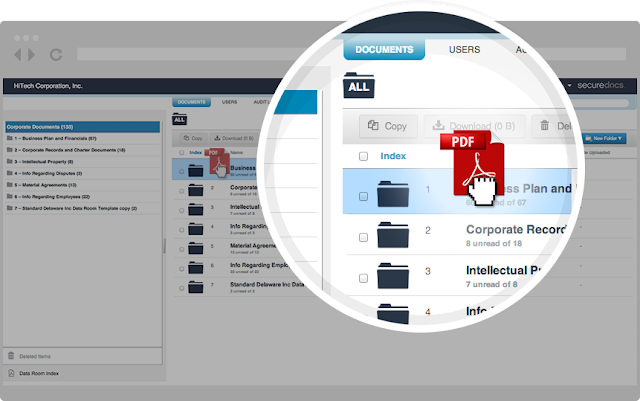
SecureDocs is an industry-leading virtual data room used by hundreds of companies for sharing and storing sensitive documents, both within company walls and with outside parties. SecureDocs is trusted for fundraising, M&A, audits, business valuations, and more. When specific events aren't taking place, the data room is used as an extremely secure corporate repository for critical documents of record. Our flat-fee pricing and intuitive user interface has distinguished us from the competition.

HighQ Dataroom

Virtual Data Room

HighQ's secure platform is the leading data room solution with over 10,000 transactions completed in the legal, banking and corporate sectors. Its unrivalled ease-of-use and global high performance make it the platform of choice for critical processes where quick set-up and fast access is essential.

CapLinked

Virtual Data Room

CapLinked makes it faster, safer, and easier to manage business transactions in the cloud. CapLinked's secure platform provides companies with easy-to-use tools for capital raises, asset sales, M&A, IP licensing, investor & board reporting, and more. Our transparent pricing, quick setup, and exceptional services and support make using CapLinked easy from start to finish.

Safelink Data Rooms

Virtual Data Room

Cloud based solution for Virtual Data Rooms and Secure Extranets. Features include encrypted data storage and transmission. All Data is held offshore and outside of USA and EU. Fully featured with granular permissions, secure messaging, collaboration, full content search, page-level document tracking. Pricing is either per room or storage-based and user numbers are unlimited in either pricing model. Choose your room for your purpose - get the job done quickly, efficiently and intuitively.

Top Virtual Data Room Software

Virtual Data Room (VDR) is a virtual space that acts much like a physical data room except that all data is hosted securely online. A data room is a physical or virtual space where one party can disclose confidential information in a controlled manner to a number of other interested parties.
Data rooms are used frequently during mergers and acquisitions (M&A) where a seller and their advisors need to reveal information about their company or asset to several interested buyers at the same time. Virtual Data Room

WHAT IS A VIRTUAL DATA ROOM?

virtual data room (VDR) is a virtual space that acts much like a physical data room except that all data is hosted securely online.
In the days before virtual data rooms, M&A potential buyers would need to visit an actual room in person to review stacks of critical documents and paperwork.
Today multiple potential buyers can access confidential information simultaneously online.

Top Virtual Data Room Software

iDeals Solutions is a sophisticated and trusted virtual data room provider. Our experience and exceptional results have been tried and tested by investment bankers, lawyers and top managers of enterprises around the world. As the most result oriented and flexible company in the market we always listen to our customers and offer them the most secure, comfortable and fast solution to achieve their strategic goals in any kind of transaction.

SecureDocs Virtual Data Room

Virtual Data Room

SecureDocs is an industry-leading virtual data room used by hundreds of companies for sharing and storing sensitive documents, both within company walls and with outside parties. SecureDocs is trusted for fundraising, M&A, audits, business valuations, and more. When specific events aren't taking place, the data room is used as an extremely secure corporate repository for critical documents of record. Our flat-fee pricing and intuitive user interface has distinguished us from the competition.

HighQ Dataroom

Virtual Data Room

HighQ's secure platform is the leading data room solution with over 10,000 transactions completed in the legal, banking and corporate sectors. Its unrivalled ease-of-use and global high performance make it the platform of choice for critical processes where quick set-up and fast access is essential.

CapLinked

Virtual Data Room

CapLinked makes it faster, safer, and easier to manage business transactions in the cloud. CapLinked's secure platform provides companies with easy-to-use tools for capital raises, asset sales, M&A, IP licensing, investor & board reporting, and more. Our transparent pricing, quick setup, and exceptional services and support make using CapLinked easy from start to finish.

Safelink Data Rooms

Virtual Data Room

Cloud based solution for Virtual Data Rooms and Secure Extranets. Features include encrypted data storage and transmission. All Data is held offshore and outside of USA and EU. Fully featured with granular permissions, secure messaging, collaboration, full content search, page-level document tracking. Pricing is either per room or storage-based and user numbers are unlimited in either pricing model. Choose your room for your purpose - get the job done quickly, efficiently and intuitively.

Virtual data rooms (VDRs) have revolutionized the transaction process. Instant 24/7/365 access from any location and any device with Internet connection, Virtual data room secure data management and storing as well as substantial time and money savings during confidential business deals are the key reasons why businesses turn VDRs instead of physical data rooms. Plus, the online version of physical deal rooms takes away all many pitfalls and risks, reducing the possibility of deal not going on as planned.Virtual Data Rooms Today a VDR became a secure online meeting place for all parties involved in the deal. Providing full control during online due diligence processes, these secure online data repositories simplify the cooperation between all parties. The virtual data room has evolved to become a tool to facilitate the entire deal course, not just for to perform due diligence. Apart from M&A, virtual data room software is widely used for such deals as loan syndication, private equity and venture. Typically, virtual data rooms are widely used in many industries, including the following ones:
Biotech, Business Brokers, Accounting, Investment Banking, Loan Advisers, Real Estate, Energy, Legal, Government, Consulting, Media, Pharmaceutical, Venture Capital, Manufacturing, IT and Telecommunications, Healthcare Financial Advisers
As a result, online data room providers appear on the market almost daily. Many of offer some similar services, such as secure data storage, data management and sharing. The other functions may greatly vary. The best virtual data rooms offer military level security, multi-language support, full text search, in-document linking, and a wide-ranging selection of other advanced functions.

1 - iDeals Virtual Data Room

iDeals Virtual Data Room is a powerful data sharing solution used by more than 4,000 companies worldwide, including many Fortune 1000 companies since 2008. This success is based on a continuous innovation approach, including constant R&D efforts, powerful cloud infrastructure, and instantly available customer services. With iDeals’ advanced document sharing technology and shatterproof security, dealmakers worldwide can fully comply with due diligence requirements.

2 - Intralinks Dealspace

Intralinks is a global technology provider of secure content management and collaboration solutions. Founded in 1996, Intralinks enables the exchange, control, and management of information between organizations through their virtual data room and deal space solutions, suitable for data sharing inside and outside of the corporate firewall. The company’s key product, Intralinks VIA, supports strategic collaboration solutions for a range of industries, including financial services, life sciences, technology and manufacturing.

3 - Merrill Datasite

Merrill DataSite is a secure virtual data room solution that streamlines the due diligence in mergers and acquisitions, disposals, IPO, or any transaction requiring a due diligence effort. The virtual data room (VDR) solutions from Merrill DataSite enable customers to complete faster, smarter and better transactions. Explore how Merrill DataSite dramatically reduces transaction times and deal expense through the presentation of documents in the data room.

4 - Brainloop Secure Dataroom

Brainloop Secure Dataroom is an advanced virtual workspace with complete security architecture, global 24/7 availability via a web browser, and its own apps for tablets. Brainloop ensures secure collaboration in a transparently secure online workspace while delivering end-to-end protection for confidential documents. Learn why enterprises worldwide use Brainloop for boardroom communications, research and development processes, legal work, and any other area where you need to share confidential documents.

5 - SmartRoom VDR

SmartRoom provides its virtual data room services for numerous business areas, such as capital markets, legal solutions, corporate exchange. Secure document hosting and sharing among partners, convenient management of sensitive corporate information, confidential discussion of the data directly within the platform.

6 - Watchdox by Blackberry

WatchDox by BlackBerry provides secure mobile solutions for data sharing and distribution with its virtual data room that enables users to more easily collaborate as it increases their productivity. Uniting data-centric security with a user-friendly experience WatchDox applies security and advanced digital rights management (DRM) to documents going from your preferred enterprise content repositories to multiple destinations within and outside your organization, including web, desktop and mobile.

7 - Box Virtual Data Room

Box is a secure content management and collaboration platform founded in 2005. Recently Box file introduced a virtual data room service with advanced security features, digital rights management, and convenient file storage system to upload contracts, financial statements and other due diligence files. Multiple layers of protection keep business-critical information safe and secure while helping teams and enterprises across industries easily share, manage, and collaborate on their most important information from anywhere, on any device. Don't Miss: Best Forex Trading Platforms

Most Ranked Virtual Data Room Providers

Virtual data rooms (VDRs) have revolutionized the transaction process. Instant 24/7/365 access from any location and any device with Internet connection, Virtual data room secure data management and storing as well as substantial time and money savings during confidential business deals are the key reasons why businesses turn VDRs instead of physical data rooms. Plus, the online version of physical deal rooms takes away all many pitfalls and risks, reducing the possibility of deal not going on as planned.Virtual Data Rooms Today a VDR became a secure online meeting place for all parties involved in the deal. Providing full control during online due diligence processes, these secure online data repositories simplify the cooperation between all parties. The virtual data room has evolved to become a tool to facilitate the entire deal course, not just for to perform due diligence. Apart from M&A, virtual data room software is widely used for such deals as loan syndication, private equity and venture. Typically, virtual data rooms are widely used in many industries, including the following ones:

Biotech, Business Brokers, Accounting, Investment Banking, Loan Advisers, Real Estate, Energy, Legal, Government, Consulting, Media, Pharmaceutical, Venture Capital, Manufacturing, IT and Telecommunications, Healthcare Financial Advisers
As a result, online data room providers appear on the market almost daily. Many of offer some similar services, such as secure data storage, data management and sharing. The other functions may greatly vary. The best virtual data rooms offer military level security, multi-language support, full text search, in-document linking, and a wide-ranging selection of other advanced functions.

1 - iDeals Virtual Data Room

iDeals Virtual Data Room is a powerful data sharing solution used by more than 4,000 companies worldwide, including many Fortune 1000 companies since 2008. This success is based on a continuous innovation approach, including constant R&D efforts, powerful cloud infrastructure, and instantly available customer services. With iDeals’ advanced document sharing technology and shatterproof security, dealmakers worldwide can fully comply with due diligence requirements.

2 - Intralinks Dealspace

Intralinks is a global technology provider of secure content management and collaboration solutions. Founded in 1996, Intralinks enables the exchange, control, and management of information between organizations through their virtual data room and deal space solutions, suitable for data sharing inside and outside of the corporate firewall. The company’s key product, Intralinks VIA, supports strategic collaboration solutions for a range of industries, including financial services, life sciences, technology and manufacturing.

3 - Merrill Datasite

Merrill DataSite is a secure virtual data room solution that streamlines the due diligence in mergers and acquisitions, disposals, IPO, or any transaction requiring a due diligence effort. The virtual data room (VDR) solutions from Merrill DataSite enable customers to complete faster, smarter and better transactions. Explore how Merrill DataSite dramatically reduces transaction times and deal expense through the presentation of documents in the data room.

4 - Brainloop Secure Dataroom

Brainloop Secure Dataroom is an advanced virtual workspace with complete security architecture, global 24/7 availability via a web browser, and its own apps for tablets. Brainloop ensures secure collaboration in a transparently secure online workspace while delivering end-to-end protection for confidential documents. Learn why enterprises worldwide use Brainloop for boardroom communications, research and development processes, legal work, and any other area where you need to share confidential documents.

5 - SmartRoom VDR

SmartRoom provides its virtual data room services for numerous business areas, such as capital markets, legal solutions, corporate exchange. Secure document hosting and sharing among partners, convenient management of sensitive corporate information, confidential discussion of the data directly within the platform.

6 - Watchdox by Blackberry

WatchDox by BlackBerry provides secure mobile solutions for data sharing and distribution with its virtual data room that enables users to more easily collaborate as it increases their productivity. Uniting data-centric security with a user-friendly experience WatchDox applies security and advanced digital rights management (DRM) to documents going from your preferred enterprise content repositories to multiple destinations within and outside your organization, including web, desktop and mobile.

7 - Box Virtual Data Room

Box is a secure content management and collaboration platform founded in 2005. Recently Box file introduced a virtual data room service with advanced security features, digital rights management, and convenient file storage system to upload contracts, financial statements and other due diligence files. Multiple layers of protection keep business-critical information safe and secure while helping teams and enterprises across industries easily share, manage, and collaborate on their most important information from anywhere, on any device. Don't Miss: Best Forex Trading Platforms

Top Forex Trading Platforms for forex brokers excel in a variety of areas like trade execution, real-time access to prices and charts, and educational resources. Most brokers have several platforms, including those that are highly specific for automated and algorithmic trading. Some of the largest factors that come into play when selecting a forex trading platform are your individual trading style and experience level. Well-rounded forex platforms will have the most flexible solutions that enable you to trade and manage risk from any computer or mobile device.

Best Forex Trading Platforms


1 - Thinkorswim forex trading platform

Thinkorswim, part of TD Ameritrade, delivers the most advanced forex trading platform on the market. They conveniently enable you to trade forex, stocks, futures, and options all from one account. Through this platform, thinkorswim brings professional-grade charting and analysis packages, and places them in the hands of retail clients. These powerful tools are accessed through a desktop application or web application that is compatible with Windows or Mac, and highly rated mobile apps for iPhone, iPad and Android.

2 - Forex.com trading platform forex

Forex.com combines one of the most customizable forex trading platforms with one of the most complete mobile solutions, enabling you to trade how you want, when you want. The FOREXtrader Pro platform comes with a partner app store, Tradable, so users can customize every part of their trading experience one app at a time. Use automated trading apps to build strategies, or use the Margin Alert app to receive alerts when you're getting close to a margin call. The mobile platform for iPhone, iPad, and Android doesn't skimp on features either, containing a host of complex order types and a portal to access education to increase your forex knowledge from anywhere.

3 - MB Trading how to fx trade

MB Trading tailors to various expertise levels, offering multiple platforms for the professional trader and several others for those who are intermediate and novice. Desktop Pro and MetaTrader 4 are dedicated, Windows-based platforms targeting more advanced traders. MBT Web and MBT Mac are web-based platforms for more intermediate or beginner traders that can be accessed through any browser. All platforms have highly customizable interfaces and powerful analytical tools to take your trading to the next level. If you need to trade more than forex, try out the Lightwave platform, which also powers stock, futures, and options trades from one account.
Don't Miss: Best Browser Mac

The 3 Best Forex Trading Platforms

Top Forex Trading Platforms for forex brokers excel in a variety of areas like trade execution, real-time access to prices and charts, and educational resources. Most brokers have several platforms, including those that are highly specific for automated and algorithmic trading. Some of the largest factors that come into play when selecting a forex trading platform are your individual trading style and experience level. Well-rounded forex platforms will have the most flexible solutions that enable you to trade and manage risk from any computer or mobile device.

Best Forex Trading Platforms


1 - Thinkorswim forex trading platform

Thinkorswim, part of TD Ameritrade, delivers the most advanced forex trading platform on the market. They conveniently enable you to trade forex, stocks, futures, and options all from one account. Through this platform, thinkorswim brings professional-grade charting and analysis packages, and places them in the hands of retail clients. These powerful tools are accessed through a desktop application or web application that is compatible with Windows or Mac, and highly rated mobile apps for iPhone, iPad and Android.

2 - Forex.com trading platform forex

Forex.com combines one of the most customizable forex trading platforms with one of the most complete mobile solutions, enabling you to trade how you want, when you want. The FOREXtrader Pro platform comes with a partner app store, Tradable, so users can customize every part of their trading experience one app at a time. Use automated trading apps to build strategies, or use the Margin Alert app to receive alerts when you're getting close to a margin call. The mobile platform for iPhone, iPad, and Android doesn't skimp on features either, containing a host of complex order types and a portal to access education to increase your forex knowledge from anywhere.

3 - MB Trading how to fx trade

MB Trading tailors to various expertise levels, offering multiple platforms for the professional trader and several others for those who are intermediate and novice. Desktop Pro and MetaTrader 4 are dedicated, Windows-based platforms targeting more advanced traders. MBT Web and MBT Mac are web-based platforms for more intermediate or beginner traders that can be accessed through any browser. All platforms have highly customizable interfaces and powerful analytical tools to take your trading to the next level. If you need to trade more than forex, try out the Lightwave platform, which also powers stock, futures, and options trades from one account.
Don't Miss: Best Browser Mac

Widgets are one of the best feature android has given us. It’s been into existence from android’s beta phase. They let you easily access content right on your home screen without even opening any app. They make you more productive as you need not navigate through different app options to get information. But, these little widgets might be the reason of your battery draining a little. If you’ve got some big widgets that need internet to access information then you got to remove and replace them with some lightweight widgets that consume less battery. Must View Top Browser.
Android Widgets
So, here I’ve mentioned some simple and minimalistic widget apps in different categories. These are the type of widgets that you normally use on your phone.

To-do list Android Widget 
Android WidgetsAndroid Widgets

We all have a to-do list widget or tasks widget to complete tasks of the day. You might be using Evernote or Google Keep. Well they are most feature rich task management apps. But, here I’d like to show a stand alone widget app that can let you quickly add your tasks based on priority and manage them within few taps. If you don’t have much time and you quickly want to type in a task then this simple to-do list widget app can be very helpful. You can set the priority of each task in yellow, orange and red. It’s the perfect lightweight widget for managing a to-do list.
Download: Play Store

Lightweight Weather Widget

Android Widgets
Maybe you are a traveller or are doing a 9-5 job. Weather is one thing that might bug you. Well, there are many widgets with great features of animations. But, if you’re in search of some lightweight weather widget then Weather XL Pro App can be the one for you. This widget is so minimalistic and simple enough that won’t eat too much of your android resources. It has most of the features like accurate and detailed forecast, set the update frequency and forecast for up to 10 days.
Download: Play Store

Battery Widget 
Android Widgets

This is the most simplistic battery app you can have. If you are a kind of person who don’t want to navigate to battery settings all the time to check which app is draining your battery most, then this widget app is going to be very handy for you. It shows you all the battery related information you’ll ever need. It’s not a widget but it shows pop up with battery information when you tap on 1×1 small widget which also show you the amount of battery left on your phone.
Download: Play Store

Calendar Widget 
Android Widgets

This is the simplistic calendar widget which shows you only calendar. If you just want a very simple calendar which does nothing but show the dates, then this calendar widget is best for you. The pro version of this app lets you add events for a particular day. You can set transparency and layout of the calendar.
Download: Play Store

RSS Feed Reader 
Android Widgets

This is another stand alone widget app. You can add multiple rss feeds, change the layout and appearance. It is scrollable and totally free without any ads. It is the most simple lightweight rss feed reader. You can quickly read news right from your home screen. It also has a lock screen widget for Android 4.2+.
Download: Play Store

Music Widget 
Android Widgets

Jack’s Music Widget is very simple and lightweight. It works with all other music players. If you don’t like the widget that your music player provides then you can use this one. This even grabs the covers from the music player. You can change the layout. There are many layouts available. It’s minimalistic and lightweight app with all music controls available.
Download: Play Store

6 Best Lightweight Android Widgets that Consume less Battery

Widgets are one of the best feature android has given us. It’s been into existence from android’s beta phase. They let you easily access content right on your home screen without even opening any app. They make you more productive as you need not navigate through different app options to get information. But, these little widgets might be the reason of your battery draining a little. If you’ve got some big widgets that need internet to access information then you got to remove and replace them with some lightweight widgets that consume less battery. Must View Top Browser.
Android Widgets
So, here I’ve mentioned some simple and minimalistic widget apps in different categories. These are the type of widgets that you normally use on your phone.

To-do list Android Widget 
Android WidgetsAndroid Widgets

We all have a to-do list widget or tasks widget to complete tasks of the day. You might be using Evernote or Google Keep. Well they are most feature rich task management apps. But, here I’d like to show a stand alone widget app that can let you quickly add your tasks based on priority and manage them within few taps. If you don’t have much time and you quickly want to type in a task then this simple to-do list widget app can be very helpful. You can set the priority of each task in yellow, orange and red. It’s the perfect lightweight widget for managing a to-do list.
Download: Play Store

Lightweight Weather Widget

Android Widgets
Maybe you are a traveller or are doing a 9-5 job. Weather is one thing that might bug you. Well, there are many widgets with great features of animations. But, if you’re in search of some lightweight weather widget then Weather XL Pro App can be the one for you. This widget is so minimalistic and simple enough that won’t eat too much of your android resources. It has most of the features like accurate and detailed forecast, set the update frequency and forecast for up to 10 days.
Download: Play Store

Battery Widget 
Android Widgets

This is the most simplistic battery app you can have. If you are a kind of person who don’t want to navigate to battery settings all the time to check which app is draining your battery most, then this widget app is going to be very handy for you. It shows you all the battery related information you’ll ever need. It’s not a widget but it shows pop up with battery information when you tap on 1×1 small widget which also show you the amount of battery left on your phone.
Download: Play Store

Calendar Widget 
Android Widgets

This is the simplistic calendar widget which shows you only calendar. If you just want a very simple calendar which does nothing but show the dates, then this calendar widget is best for you. The pro version of this app lets you add events for a particular day. You can set transparency and layout of the calendar.
Download: Play Store

RSS Feed Reader 
Android Widgets

This is another stand alone widget app. You can add multiple rss feeds, change the layout and appearance. It is scrollable and totally free without any ads. It is the most simple lightweight rss feed reader. You can quickly read news right from your home screen. It also has a lock screen widget for Android 4.2+.
Download: Play Store

Music Widget 
Android Widgets

Jack’s Music Widget is very simple and lightweight. It works with all other music players. If you don’t like the widget that your music player provides then you can use this one. This even grabs the covers from the music player. You can change the layout. There are many layouts available. It’s minimalistic and lightweight app with all music controls available.
Download: Play Store

Today I’m going to share the best browser for Mac OS. The Internet is transforming as the lifeblood for many of the entrepreneurs. Without The internet, we can’t imagine a life, which makes a damn near the world end if the internet dies. Web Browsers are the basic requirement other the for any of the device to access the internet. No matter which platform you are from, you can browse the internet if you have the best browser and a stable internet connection. Suppose if you are a MacBook Pro user like me, which is a beast in terms  productivity. I hope you will love most of these awesome web browsers for mac.
Best Web Browser
As everyone knows Mac is the giant and legend in the Computer industry, with its fluid user experience and stunning technology which makes it robust. Even the Bill Gates the present CEO of Microsoft Inc, once appreciated the Steve Jobs for his creativity in the Mac OS X. It makes the Mac supreme in the desktop field, but when it come for surfing the internet you need to have the best browser for Mac for better browsing. Though the Safari is a top notch browser, still the other Web browser are in the game.

Best Web Browser For Mac OS X

It’s is really hard to list the best browsers for Mac, but we have collected the top web browsers which remembered with its Quality, Performance and User Experience. Here we go.

1. Chrome Web Browser 
Best Web Browser

Yes, Chrome is the top notch web browser for Mac that what I recommend. There is no other browser as popular as Chrome in the web. Though, Chrome is not made for  users who loves to utilize each drop of their battery. As many users reported bad battery backup after using Chrome in their Mac. But still Chrome has thousands of useful extensions, which forces many users to install it in their Mac. Here we trigger some of the best features of Google Chrome, which makes it as an extremely popular browser not only among OS X users only but among other operating systems like Android and Windows too.
Things that makes Chrome Robust Browser:
  • Minimalistic design is the key to the Google Chrome success.
  • Fluid user experience one can expect from the browsers.
  • Tones of best chrome extensions are available for this best web browser for Mac.
  • Smooth rendering of Web pages and a clutter-free environment.
  • The Safe browser with the great reputation as a Search Engine from the big G!
  • Includes all the features of a best Web browsers.
  • You can open many Tabs in this browser without freezing.
  • What more needed for the best browsers.

2. Mozilla Firefox 
Best Web Browser

Mozilla Firefox is another browser for Mac which worth for mentioning here. Mozilla is old yet still in the game of best browser for android. It is also a great choice as a browser for your Mac Systems, that has many advantages built in. You can easily perform any work when you assign to an  Add-on. Overall I can say it is one of the best browser ever made.
Some features of Mozilla Firefox:
  • A wide variety of Add-ons was available to increase your productivity.
  • Smooth rendering technology makes it fluid user experience.
  • Improved Tab Browsing options included.
  • Packed with Spell checker to improve your language Quality.
  •  Easy and quick restore.
  • Integrated search engines like Google, Bing..etc
  • Live Bookmark and Live titles included.

3. Opera 
Best Web Browser

Opera is another brilliant choice as  a browser for almost any operating system. You guys know Opera is the is first and fore choice for mobile users, it have not set back in the desktop platform. Opera Browser is best browser for users who are having slow internet connection as turbo mode of this browser is simply amazing. As, it can help in increasing loading speed of pages by multiple folds.
Features of opera Browser for Mac:
  • Smooth browsing experience along with easy navigation.
  • Easily you can preview the Webpage by moving the mouse cursor to the Tab.
  • You can download torrents easily with inbuilt browser option.
  • Opera Email is inbuilt to manage your emails in one client.
  • Opera note is included to manage all your notes including the Evernote.
  • Various mouse gestures supported for great user satisfaction.
  • Reload page every x minutes as per you schedule.
  • packed with RSS-reader with the Email client.

4. Torch – Chrome Browser Younger Brother 
Best Web Browser

Torch browser is another one of the best browser for Mac OS X, it got a spike in its popularity all of sudden because with its unique design and awesome features. This browser is somewhat similar to the Google Chrome along with modifications. You can download the torrents without any torrent clients. I’ve listed some of the quick points why this torch browser is the best browsers for Mac OS.
Torch Browser highlights:
  • It supports each and every extension that available in the Google Chrome Web Store.
  • Torrent downloading supported within t browser.
  • Packed with Social Bar to get all your social updates notification instantly.
  • Smooth web surfing experience as in Google Chrome.
  • A wide range of themes available for Torch browser.
  • fast, simple and safe browser for Mac.

5. Maxthon 
Best Web Browser

Maxthon is one of powerful web browsers for Macbook OS X ever made. It is simple yet powerful software to access the internet in the Mac OS X. It has many features including the  Syncing as like Google chrome to sync all your favorites, bookmarks, history at anywhere. It is best browser for users who are looking for a browser in which they can install their favourite chrome extensions but don’t want to use Chrome.
Features of Maxthon Browser:
  • Sync and see favorites anywhere and anytime.
  • Various Mouse gestures supported for better experience.
  • Block Ads with ad hunter add-ons that come packed with Maxthon browser.
  • Multi screen supported for seamless multitasking.
  • Magic fill to save your username and password safely.

6. Camino Browser – Made For Mac OS 
Best Web Browser

Camino is another great cum best browser for Mac users which powerful enough to rank in this Web browsers for Mac list. Camino grown as better browser among the Mac users with its unique design and great performance. I’ve pointed the reasons behinds it is ranking here. Unfortunately, the support for this browser has been ended in late 2013 after 10 years of their service.
Edit: This browser is permanently discontinued , still you can their latest version of Camino browser from their official site.
Some features of Camino Web Browser:
  • Only available for Mac users.
  • Specially designed for Mac users which make it perfect for Mac.
  • Old browser for Mac started in 2005 to serve as a browser.
  • Best user interface and smooth experience.

7. Apple Safari –  Pre-installed Browser in Mac OS X 
Best Web Browser

Apple Safari is the top best browser for Mac that come pre-installed in every iMac or Macbooks. It one of the favorite browser, that I’m personally using it in my Macbook Pro I’m totally satisfied with it I recommend this as must use web browser for mac. It is great software with stunning user experience and great support. The reason why I’m listed this Browser in last position because it comes with all the Apple products, I’ve listed the alternate for these. Moreover, Safari is best browser for guys who are looking for a browser that will not eat up their macbook’s battery. Though, Safari seems to be laggy sometimes but it’s completely worth it as battery backup is unbeatable in this mac browser.
Features of Apple safari browser:
  • Best performance and great user satisfaction.
  • Lesser battery consumption when compared to Chrome and Firefox.
  • Faster than Chrome and Firefox up to 1.7X times.
  • Sophisticated privacy and security encryptions for your online security.
  • Third-party cookie blocking for to be on safer side.
  • Browse seamlessly across any devices (Apple devices)
  • Easy sharing with Share Menu.
  • Great extensions for available in the Apple Store.

8. Flock Web Browser 
Best Web Browser

Are you a social media lover? If you want to be active at social media while doing your other work in browsers like content writing, SEO, Graphic Designing etc., then Flock Web Browser is best web browser for mac 2016 to install. You can check latest notifications from sidebar in the browser window. Actually, this browser is discontinued browser, but still you can download Flock web browser from third party links.
Features of Flock Web Browser:
  • Based on firefox latest version.
  • Drop page to share on social media instantly.
  • Supports more than 20 social networking sites.
  • Super fast uploading of images to sites.

9. Omni Browser 
Best Web Browser

Omni Browser is one powerful web browser for mac which is completely free to use. Undoubtedly, it is features-rich browser with a lot of amazing features like side-tabbed browser. But this browser is a bit slow and consumes comparatively high amount of RAM. Due to this reason, startup time of this browser is comparatively high and you may also face lag at the time of switching between different tabs and some random crashes too.

10. RockMelt Browser 
Best Web Browser

RockMelt browser from Yahoo is one of most featured rich browser for mac ever made. RockMelt is best for guys who are looking to sync their data on various computers easily. Moreover in RockMelt browser, you can also install Chrome extensions. RockMelt has a very powerful search bar which can be very effective. Overall, it’s a free web browser which you can download from third party sites.
Final Words,
So in this post, we have shared our personal experience about best web browser for mac. I recommend you to install any two browsers one for Personal and other for professional uses if you are an online entrepreneur. We recommend you to bookmark this page we’ll update this whenever we found some important information about these mac web browsers by PkCod.

10 Best Browser For Mac OS 2016 | Every Mac User Should Know!

Today I’m going to share the best browser for Mac OS. The Internet is transforming as the lifeblood for many of the entrepreneurs. Without The internet, we can’t imagine a life, which makes a damn near the world end if the internet dies. Web Browsers are the basic requirement other the for any of the device to access the internet. No matter which platform you are from, you can browse the internet if you have the best browser and a stable internet connection. Suppose if you are a MacBook Pro user like me, which is a beast in terms  productivity. I hope you will love most of these awesome web browsers for mac.
Best Web Browser
As everyone knows Mac is the giant and legend in the Computer industry, with its fluid user experience and stunning technology which makes it robust. Even the Bill Gates the present CEO of Microsoft Inc, once appreciated the Steve Jobs for his creativity in the Mac OS X. It makes the Mac supreme in the desktop field, but when it come for surfing the internet you need to have the best browser for Mac for better browsing. Though the Safari is a top notch browser, still the other Web browser are in the game.

Best Web Browser For Mac OS X

It’s is really hard to list the best browsers for Mac, but we have collected the top web browsers which remembered with its Quality, Performance and User Experience. Here we go.

1. Chrome Web Browser 
Best Web Browser

Yes, Chrome is the top notch web browser for Mac that what I recommend. There is no other browser as popular as Chrome in the web. Though, Chrome is not made for  users who loves to utilize each drop of their battery. As many users reported bad battery backup after using Chrome in their Mac. But still Chrome has thousands of useful extensions, which forces many users to install it in their Mac. Here we trigger some of the best features of Google Chrome, which makes it as an extremely popular browser not only among OS X users only but among other operating systems like Android and Windows too.
Things that makes Chrome Robust Browser:
  • Minimalistic design is the key to the Google Chrome success.
  • Fluid user experience one can expect from the browsers.
  • Tones of best chrome extensions are available for this best web browser for Mac.
  • Smooth rendering of Web pages and a clutter-free environment.
  • The Safe browser with the great reputation as a Search Engine from the big G!
  • Includes all the features of a best Web browsers.
  • You can open many Tabs in this browser without freezing.
  • What more needed for the best browsers.

2. Mozilla Firefox 
Best Web Browser

Mozilla Firefox is another browser for Mac which worth for mentioning here. Mozilla is old yet still in the game of best browser for android. It is also a great choice as a browser for your Mac Systems, that has many advantages built in. You can easily perform any work when you assign to an  Add-on. Overall I can say it is one of the best browser ever made.
Some features of Mozilla Firefox:
  • A wide variety of Add-ons was available to increase your productivity.
  • Smooth rendering technology makes it fluid user experience.
  • Improved Tab Browsing options included.
  • Packed with Spell checker to improve your language Quality.
  •  Easy and quick restore.
  • Integrated search engines like Google, Bing..etc
  • Live Bookmark and Live titles included.

3. Opera 
Best Web Browser

Opera is another brilliant choice as  a browser for almost any operating system. You guys know Opera is the is first and fore choice for mobile users, it have not set back in the desktop platform. Opera Browser is best browser for users who are having slow internet connection as turbo mode of this browser is simply amazing. As, it can help in increasing loading speed of pages by multiple folds.
Features of opera Browser for Mac:
  • Smooth browsing experience along with easy navigation.
  • Easily you can preview the Webpage by moving the mouse cursor to the Tab.
  • You can download torrents easily with inbuilt browser option.
  • Opera Email is inbuilt to manage your emails in one client.
  • Opera note is included to manage all your notes including the Evernote.
  • Various mouse gestures supported for great user satisfaction.
  • Reload page every x minutes as per you schedule.
  • packed with RSS-reader with the Email client.

4. Torch – Chrome Browser Younger Brother 
Best Web Browser

Torch browser is another one of the best browser for Mac OS X, it got a spike in its popularity all of sudden because with its unique design and awesome features. This browser is somewhat similar to the Google Chrome along with modifications. You can download the torrents without any torrent clients. I’ve listed some of the quick points why this torch browser is the best browsers for Mac OS.
Torch Browser highlights:
  • It supports each and every extension that available in the Google Chrome Web Store.
  • Torrent downloading supported within t browser.
  • Packed with Social Bar to get all your social updates notification instantly.
  • Smooth web surfing experience as in Google Chrome.
  • A wide range of themes available for Torch browser.
  • fast, simple and safe browser for Mac.

5. Maxthon 
Best Web Browser

Maxthon is one of powerful web browsers for Macbook OS X ever made. It is simple yet powerful software to access the internet in the Mac OS X. It has many features including the  Syncing as like Google chrome to sync all your favorites, bookmarks, history at anywhere. It is best browser for users who are looking for a browser in which they can install their favourite chrome extensions but don’t want to use Chrome.
Features of Maxthon Browser:
  • Sync and see favorites anywhere and anytime.
  • Various Mouse gestures supported for better experience.
  • Block Ads with ad hunter add-ons that come packed with Maxthon browser.
  • Multi screen supported for seamless multitasking.
  • Magic fill to save your username and password safely.

6. Camino Browser – Made For Mac OS 
Best Web Browser

Camino is another great cum best browser for Mac users which powerful enough to rank in this Web browsers for Mac list. Camino grown as better browser among the Mac users with its unique design and great performance. I’ve pointed the reasons behinds it is ranking here. Unfortunately, the support for this browser has been ended in late 2013 after 10 years of their service.
Edit: This browser is permanently discontinued , still you can their latest version of Camino browser from their official site.
Some features of Camino Web Browser:
  • Only available for Mac users.
  • Specially designed for Mac users which make it perfect for Mac.
  • Old browser for Mac started in 2005 to serve as a browser.
  • Best user interface and smooth experience.

7. Apple Safari –  Pre-installed Browser in Mac OS X 
Best Web Browser

Apple Safari is the top best browser for Mac that come pre-installed in every iMac or Macbooks. It one of the favorite browser, that I’m personally using it in my Macbook Pro I’m totally satisfied with it I recommend this as must use web browser for mac. It is great software with stunning user experience and great support. The reason why I’m listed this Browser in last position because it comes with all the Apple products, I’ve listed the alternate for these. Moreover, Safari is best browser for guys who are looking for a browser that will not eat up their macbook’s battery. Though, Safari seems to be laggy sometimes but it’s completely worth it as battery backup is unbeatable in this mac browser.
Features of Apple safari browser:
  • Best performance and great user satisfaction.
  • Lesser battery consumption when compared to Chrome and Firefox.
  • Faster than Chrome and Firefox up to 1.7X times.
  • Sophisticated privacy and security encryptions for your online security.
  • Third-party cookie blocking for to be on safer side.
  • Browse seamlessly across any devices (Apple devices)
  • Easy sharing with Share Menu.
  • Great extensions for available in the Apple Store.

8. Flock Web Browser 
Best Web Browser

Are you a social media lover? If you want to be active at social media while doing your other work in browsers like content writing, SEO, Graphic Designing etc., then Flock Web Browser is best web browser for mac 2016 to install. You can check latest notifications from sidebar in the browser window. Actually, this browser is discontinued browser, but still you can download Flock web browser from third party links.
Features of Flock Web Browser:
  • Based on firefox latest version.
  • Drop page to share on social media instantly.
  • Supports more than 20 social networking sites.
  • Super fast uploading of images to sites.

9. Omni Browser 
Best Web Browser

Omni Browser is one powerful web browser for mac which is completely free to use. Undoubtedly, it is features-rich browser with a lot of amazing features like side-tabbed browser. But this browser is a bit slow and consumes comparatively high amount of RAM. Due to this reason, startup time of this browser is comparatively high and you may also face lag at the time of switching between different tabs and some random crashes too.

10. RockMelt Browser 
Best Web Browser

RockMelt browser from Yahoo is one of most featured rich browser for mac ever made. RockMelt is best for guys who are looking to sync their data on various computers easily. Moreover in RockMelt browser, you can also install Chrome extensions. RockMelt has a very powerful search bar which can be very effective. Overall, it’s a free web browser which you can download from third party sites.
Final Words,
So in this post, we have shared our personal experience about best web browser for mac. I recommend you to install any two browsers one for Personal and other for professional uses if you are an online entrepreneur. We recommend you to bookmark this page we’ll update this whenever we found some important information about these mac web browsers by PkCod.

Popular Posts